
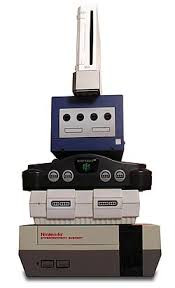
Buying a used video game console can be a great way to enjoy classic games, replace a system you once owned, or add another console to your collection. But just because a console looks good on the outside doesn't necessarily mean everything is working properly on the inside.
At Game Repair, we've been repairing video game systems for over 36 years, and we've seen many of the problems that can develop as consoles age.
Here are some things we believe you should consider when buying a used video game console.
Does the Console Power On Properly?
The first thing to consider is whether the console powers on and stays on.
A system that turns on isn't necessarily problem-free. Some consoles may shut down after running for a while or experience problems once they begin to heat up.
Whenever possible, make sure the console has been tested and is working properly.
Check the Video and Audio
A console needs to do more than power on. It also needs to produce a stable picture and sound.
Problems can include:
- No video
- Intermittent video
- Distorted picture
- Missing or distorted sound
- Damaged video connections
These problems may not be obvious just by looking at the outside of the system.
Check the Disc Drive or Cartridge Slot
Depending on the console, make sure the system can properly read the games it was designed to play.
For disc-based consoles, problems can include difficulty reading discs, drives that won't open or close correctly, and unusual noises while the disc is spinning.
For cartridge-based systems, dirty or worn cartridge slots can cause games to load inconsistently or not load at all.
Look at the Controller Ports
Controller ports are another area that can develop problems with age and use.
A console may work perfectly but still have a controller port that doesn't recognize a controller or works intermittently.
If possible, make sure all of the controller ports work—not just the first one.
Listen for Unusual Noises
Some consoles naturally make more noise than others, but grinding, clicking, or unusually loud fan noises can be signs of a problem.
Older systems may also have dust buildup or cooling issues that can affect how well they operate.
Look at the Overall Condition
Cosmetic condition doesn't always tell you how well a console works, but it can give you clues about how the system was treated.
Look for:
- Cracks or damaged plastic
- Missing covers or doors
- Damaged ports
- Heavy dirt or corrosion
- Signs the console may have been improperly opened
A console doesn't have to look brand new to work properly, but significant damage is worth paying attention to.
Check What's Included
Before buying, make sure you know exactly what comes with the console.
Depending on the system, you may need:
- Power cable or power supply
- Video cable
- Controller
- Memory card
- Other system-specific accessories
A console that looks like a great deal may become more expensive once you have to purchase everything needed to use it.
Tested and Working Matters
In our opinion, one of the most important things when buying a used console is knowing whether it has actually been tested.
There is a big difference between a seller saying a console "powers on" and saying it has been tested with a game and is working properly.
When you're buying an older console, knowing exactly what has been tested can help you make a more informed decision.
Enjoy Original Gaming Hardware
There's something special about playing classic games on the hardware they were originally designed for. With a little care when choosing a used console, you can find a system that can provide many more years of gaming.
Looking for your next classic system? Browse our selection of retro video games and consoles at GameRepair.com and bring a piece of gaming history home.